

Table of Contents
- Quick Comparison: Smart Home Security Cameras vs Doorbell Cameras
- Coverage and Field of View: What Each Camera Type Sees
- Power, Installation, and Outdoor Security Camera Installation Tips
- Storage, Bandwidth, and Smart Home Security Subscription Costs
- Best Video Doorbell 2026: Picks from NextGen
- Which Setup Fits Your Home? Use Cases and Verdict
- Frequently Asked Questions
Last Updated: September 29, 2026
Quick Comparison: Smart Home Security Cameras vs Doorbell Cameras
The core difference between smart home security cameras vs doorbell cameras comes down to placement and purpose: a doorbell camera watches one entry point and handles visitor conversation, while a standalone security camera covers yards, driveways, and blind spots. Most homes need both.

A doorbell camera is a fixed, door-height device built around visitor management: it rings, talks, and records who walked up. A security camera is a coverage tool that mounts higher, angles wider, and watches space rather than people.
This guide breaks down field of view, power, storage costs, and bandwidth so you can pick the right mix.
| Factor | Doorbell Camera | Standalone Security Camera |
|---|---|---|
| Primary job | Visitor management | Area coverage |
| Typical mounting height | Door height, roughly 1.2 m | 2.5-3 m |
| Field of view | 100-180 degrees | 90-130 degrees |
| Two-way audio | Standard | Sometimes |
| Power | Battery or doorbell wiring | Hardwired, battery, or solar |
| Best for | Front entry | Yard, driveway, side gate |
The takeaway: doorbells answer the door, cameras watch the property.
Coverage and Field of View: What Each Camera Type Sees
Field of view is the total area a lens captures, measured in degrees. Doorbell cameras usually offer 100 to 180 degrees to catch a visitor standing close and slightly off-center. Standard security cameras sit closer to 90 to 130 degrees but mount high enough to cover more ground.
That height difference matters more than the spec sheet suggests. A doorbell at chest height sees faces clearly but misses the far end of a driveway. A camera at 3 m sees the whole driveway but struggles with detail at the door.
Motion detection differs too: doorbells often trigger on the doorbell press plus a narrow motion zone, while security cameras rely on passive infrared and AI analytics to separate people from passing cars.
Power, Installation, and Outdoor Security Camera Installation Tips
Power is where most buyers get surprised: the choice between battery and wired dictates what the camera can actually do.
Battery-powered cameras install in minutes with no wiring, making them the default for renters and for brick, stucco, or surfaces where running cable is impractical. The trade-off is recording mode: to preserve battery life they record on events rather than continuously, waking on a passive infrared (PIR) trigger before the sensor and Wi-Fi radio spin up. That wake-up delay, a fraction of a second to a couple of seconds, means a fast-moving subject can be halfway across the frame before recording starts. Battery life varies with traffic: a quiet front door might see months between charges, while a busy sidewalk-facing camera can drain in weeks, and cold weather shortens it further.
Hardwired cameras draw continuous power, so they record 24/7, run onboard AI processing without battery anxiety, and support continuous live view and pre-roll buffering (a few seconds of footage captured before the motion trigger). The catch is installation. A doorbell camera typically needs an existing low-voltage doorbell transformer, commonly 16 to 24 volts AC, and older homes sometimes have one that is undersized or missing; replacing it is a small electrical job, not a plug-and-play swap. Standalone wired cameras usually need a power adapter run to an outdoor outlet, or Power over Ethernet (PoE), which carries power and data over a single cable and requires a PoE switch or injector plus a wired path back to your router.
Solar sits between the two. A small panel keeps a battery camera topped off in sunny climates, but output drops sharply in winter, under tree cover, or on north-facing walls. Treat solar as a battery extender, not a wiring replacement.
For outdoor security camera installation tips, keep these in mind:
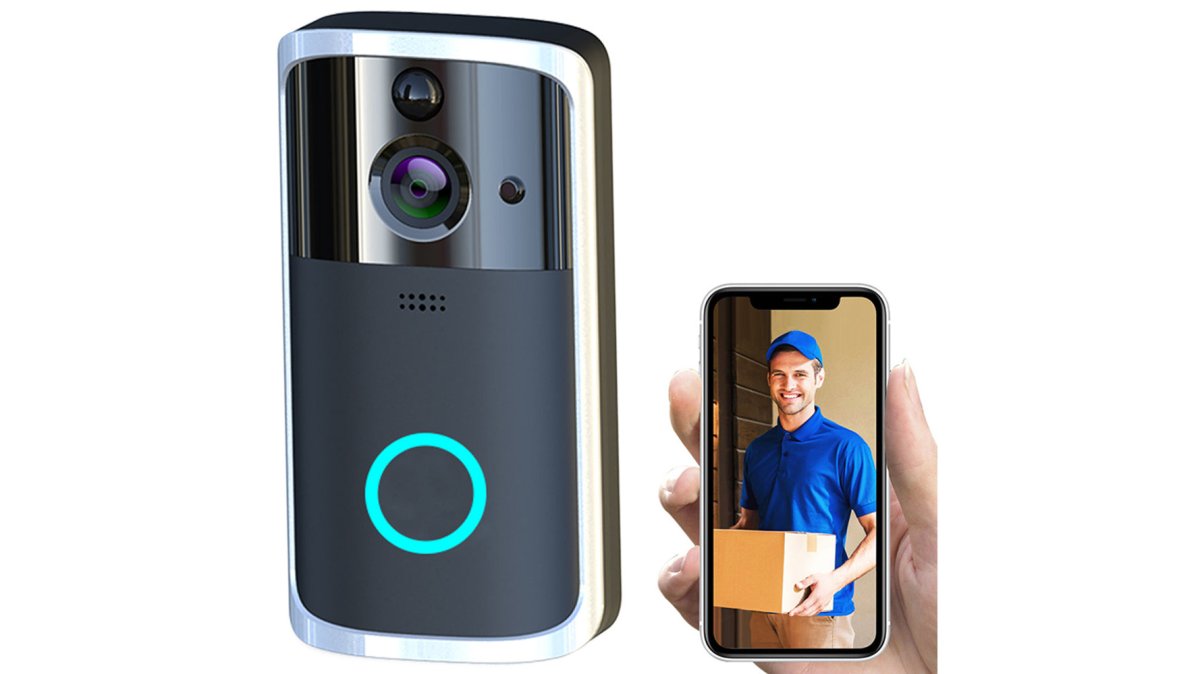
Wireless Security Smart WiFi Doorbell →
- Mount at 2.5-3 m so faces stay in frame and the housing stays out of reach
- Angle the lens 15-20 degrees down to reduce glare and false alerts
- Check Wi-Fi signal at the mounting point before you drill, a camera that drops to one bar will miss events
- Use the included anchors and screws; drywall alone won't hold, and masonry needs a hammer drill and the correct bit
- Seal any cable entry point with silicone or a grommet against weather and insects
- If running PoE, leave a foot or two of service loop at the camera end so you can re-terminate without re-running cable
Weatherproofing matters here. Look for an IP rating on the box: IP65 handles rain fine, while IP66 and IP67 add protection against powerful jets and brief immersion. An indoor-only camera will fail within a season outdoors. Also check the operating temperature range, many consumer cameras are rated only down to about -4°F, and lithium batteries lose capacity well before that.
Storage, Bandwidth, and Smart Home Security Subscription Costs
Storage is the line item most buyers underestimate. It splits into local and cloud, and the long-term cost difference can exceed the price of the hardware itself.
Local storage keeps footage on hardware you own: a microSD card, a base station, or a dedicated network video recorder (NVR) or network-attached storage (NAS) drive. There is no monthly fee, footage never leaves your property, and playback works during an internet outage. The trade-offs are real: a microSD card typically holds a few days of event clips before overwriting, cards can fail without warning, and a thief who grabs the camera takes the evidence. An NVR or NAS solves capacity and survivability, multiple cameras into one box with several terabytes, but needs an always-on device, a wired or stable Wi-Fi backhaul, and some comfort with IP addresses, ports, and drive formatting. Setup takes an afternoon the first time and about 20 minutes per additional camera after that.
Cloud storage uploads clips to a vendor server.
Best Video Doorbell 2026: Picks from NextGen
Our top pick for most homes is the Wireless Security Smart WiFi Doorbell Intercom Video Camera Door Ring Bell Chime at $29.00, pairing HD 1080P with IR night vision, and two-way audio via built-in microphone and speaker.

| Pick | Price | Standout Spec | Best For |
|---|---|---|---|
| Wireless Smart WiFi Doorbell Chime | $29.00 | 1080P, 110-degree lens, indoor chime | Front entry, most homes |
| WIFI Video Doorbell Camera | $23.00 | 160-degree view, hands-free | Tight budgets, wider angle |
Which Setup Fits Your Home? Use Cases and Verdict
The right setup depends on what you're protecting. Here's how it usually breaks down:
- Renters and apartments: A battery-powered doorbell camera works without drilling or wiring. Pair it with the WiFi Video Doorbell Camera at $35.00, which includes a 32GB TF card for local storage and needs no wiring at all.
- Single-family homes with a yard: Add a standalone camera for the driveway or side gate, and keep the doorbell for the entry.
- Pet owners and busy households: Two-way audio on the doorbell lets you check in and talk to whoever's at the door while you're out.
Frequently Asked Questions
Do I need a security camera if I have a doorbell camera?
A doorbell camera watches one spot: your entryway. If you want coverage of a driveway, side gate, or backyard, you need a separate security camera. Many homes run both. A doorbell camera handles visitor management and package detection at the door, while a security camera covers the wider property. If your only concern is who rings the bell, a doorbell camera alone is enough.

What are the main differences between a video doorbell and a security camera?
A video doorbell sits at your entry and adds two-way audio so you can talk to visitors through an app. A security camera is built for wider coverage, often with panning, motion detection, and longer recording. Doorbells usually run on battery or existing doorbell wiring; cameras may be hardwired or battery-powered. Both offer night vision and push notifications, but only the doorbell replaces your chime.
Do both doorbell and security cameras require a monthly subscription?
Not always. Many models store footage on a local microSD or TF card, which means no monthly fee. Cloud storage plans typically run a few dollars per month per device, and smart home security subscription costs add up fast if you run several cameras. Check whether the model you want supports local storage before you commit to a plan.
Which is better for porch piracy prevention: a doorbell or security camera?
A doorbell camera is usually the better pick for porch piracy because it faces the exact spot where packages land and captures the visitor's face. A wider security camera can show a thief approaching from the street, which helps identify a vehicle or direction of travel. For the strongest coverage, pair a doorbell camera at the door with one camera aimed at the driveway or walkway.
Can a doorbell camera replace a full home security system?
No. A doorbell camera covers one entry point and does not monitor windows, back doors, or interior motion. It works as a front-line visitor management tool, not a whole-home system. If you want full coverage, treat the doorbell as one piece of a larger setup that includes outdoor cameras and, if needed, a professional monitoring plan.